How we’ll contact you if we need to get in touch
We may text or email you:
- when you’ve booked an upcoming appointment with us
- when you need to renew your registration or licence (you can log into myVicRoads to confirm your renewal dates)
- if you’ve called us, and we want to send you information while you’re on the phone with us. These links will use the format go.vic.gov.au
- after you have completed an online transaction on the vicroads.vic.gov.au website, to send you a confirmation message
- to send you news and updates, such as our VicRoads newsletter. These emails are sent from [email protected].
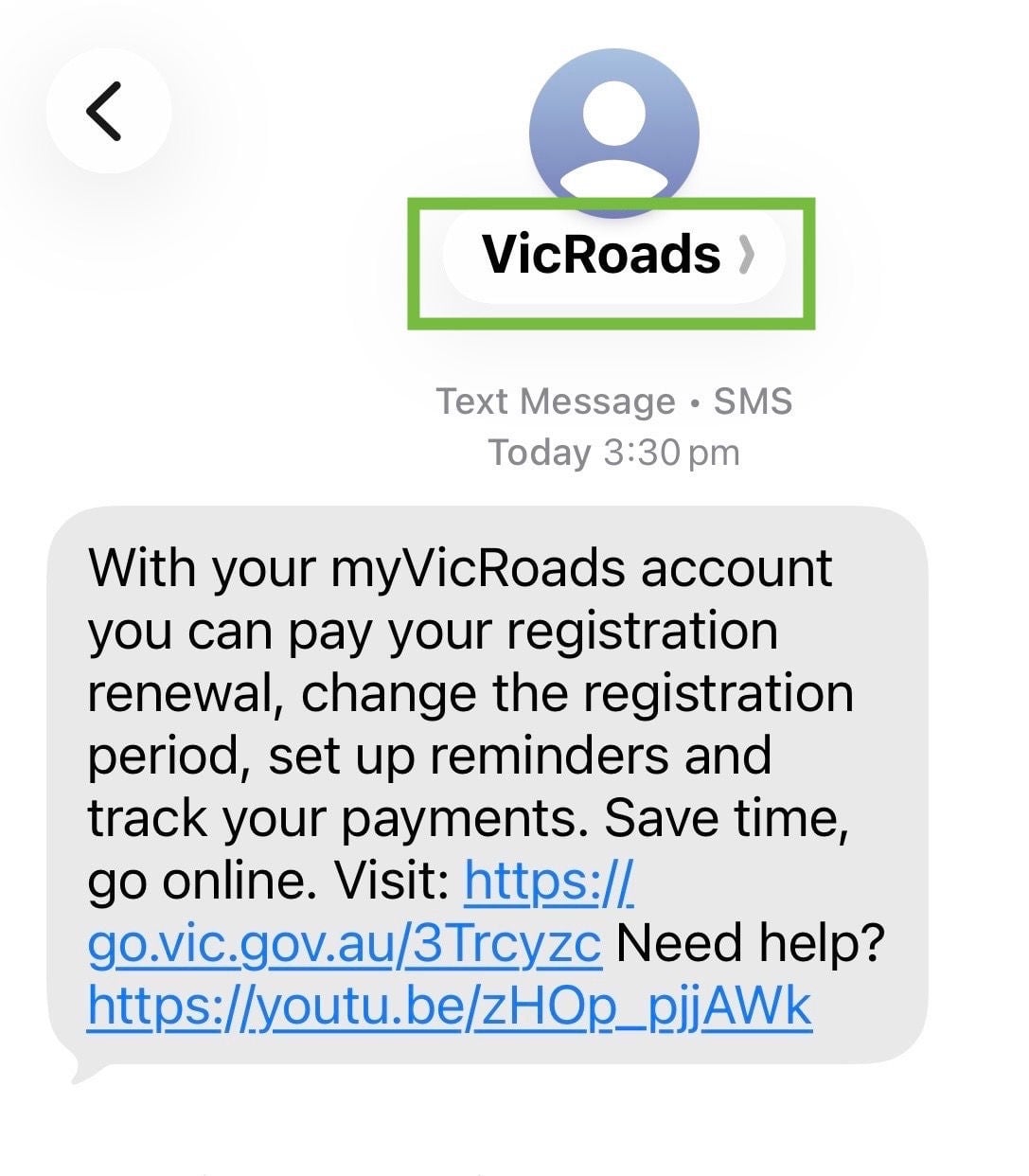
Scam messages may show an unknown phone number instead of ‘VicRoads’ or may be labelled ‘Unverified’ on supported devices.
If you're not sure if a text message is from VicRoads, don't click any links. Log in to your myVicRoads account or contact us directly to check.
VicRoads will never:
- ask for your password
- call or text asking you to log in or change your details
- call or text you to ask for a verification code that was unexpectedly sent to your phone.
- ask you to make an unexpected payment via a text message link
- tell you your licence has been suspended or threaten to suspend your licence, if you do not act immediately
- text you asking you to pay a fine
- ask for personal or banking details by text message
Official VicRoads websites and social media accounts
- VicRoads website - vicroads.vic.gov.au
- VicRoads app - myVicRoads
- myLearners website - mylearners.vic.gov.au
- Custom Plates website - vplates.com.au
- Facebook - www.facebook.com/Vicroads
- Instagram - www.instagram.com/vicroads
- LinkedIn - www.linkedin.com/company/vicroads
- YouTube - www.youtube.com/@vicroadsRLS
- TikTok - www.tiktok.com/@vicroads
- X (Twitter) - x.com/VicRoads.
VicRoads products and services are also available through Service Victoria:
- Service Victoria website - service.vic.gov.au
We may also refer you to information on licensing, registration and road safety on the Transport Victoria website:
- Transport Victoria website – transport.vic.gov.au
Types of scams to watch out for
Remember that criminals are continually inventing new types of scams to gain access to your personal information and funds.
If you buy a VicRoads product or service through a fraudulent website, you won’t be able to get a refund from VicRoads.
Scam calls
Some scam callers may:
- call you unexpectedly and ask you for your driver licence number or card number
- call you unexpectedly and ask for a verification code sent to your phone. They can use this code to access your myVicRoads account.
Social media scams
Scammers are active on social media, and new scam accounts appear all the time.
- Driver licence and car registration scams are common social media scams.
- Sometimes the scammers pretend to be VicRoads and set up fake VicRoads social media accounts.
- Criminals may also try to sell fake driver licences on social media.
Never send a photo of your driver licence or share any registration details through social media.
Text and email scams
If you receive a suspicious email or text claiming to be from VicRoads, do not reply or click any links.
Scammers may:
- ask you to make an urgent payment
- claim you have an unpaid registration, fine, traffic offence or demerit point issue
- say your licence, registration or myVicRoads account is at risk of being suspended or cancelled
- ask you to verify your identity or provide personal details, payment card information, or a verification code (OTP)
- claim a payment, registration renewal or recent transaction has failed and needs urgent action
- offer a registration refund and ask you to click a link to receive it
- direct you to a fake website or payment page
- create a sense of urgency by threatening penalties or legal action
Below are examples of scam messages reported to VicRoads. Not all scams look the same, so always take care before clicking a link or responding to a message.
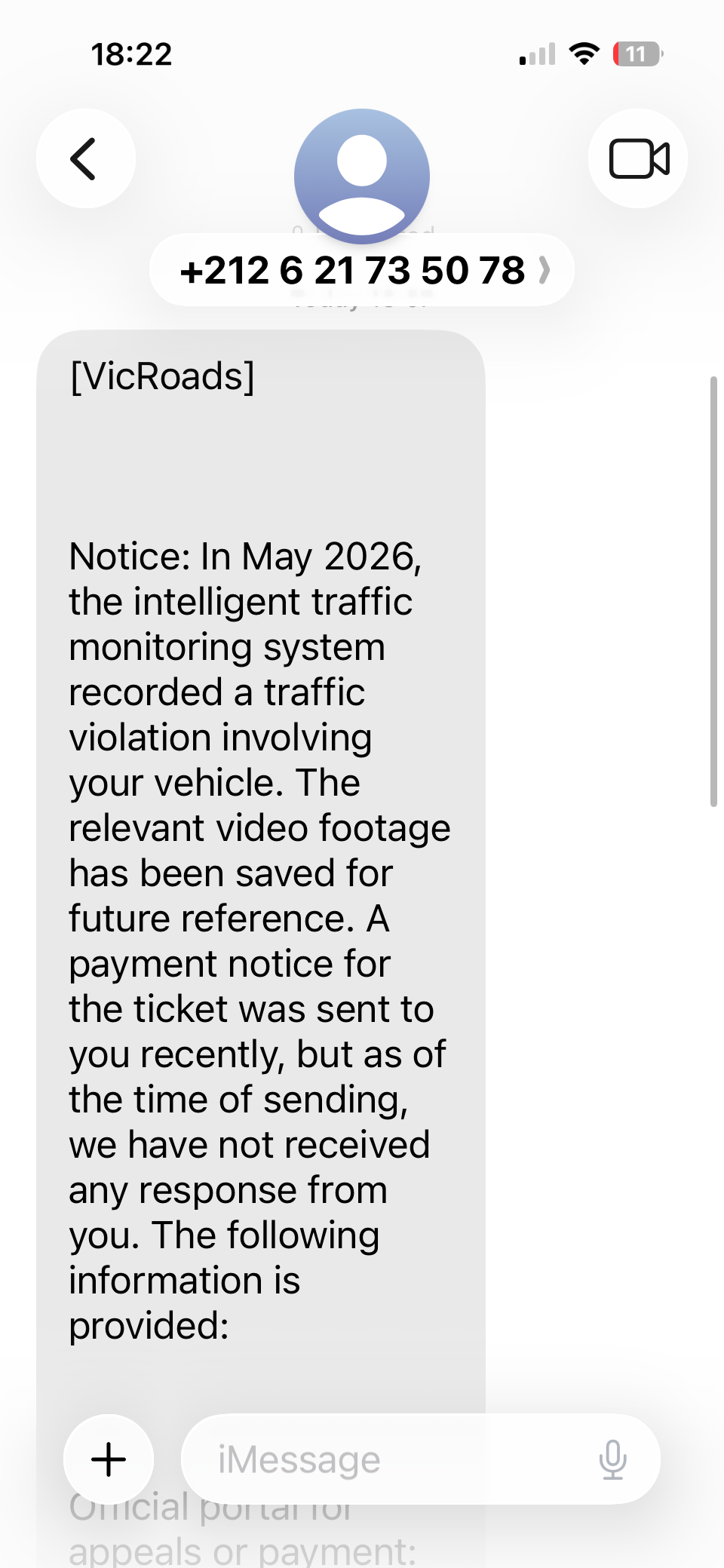
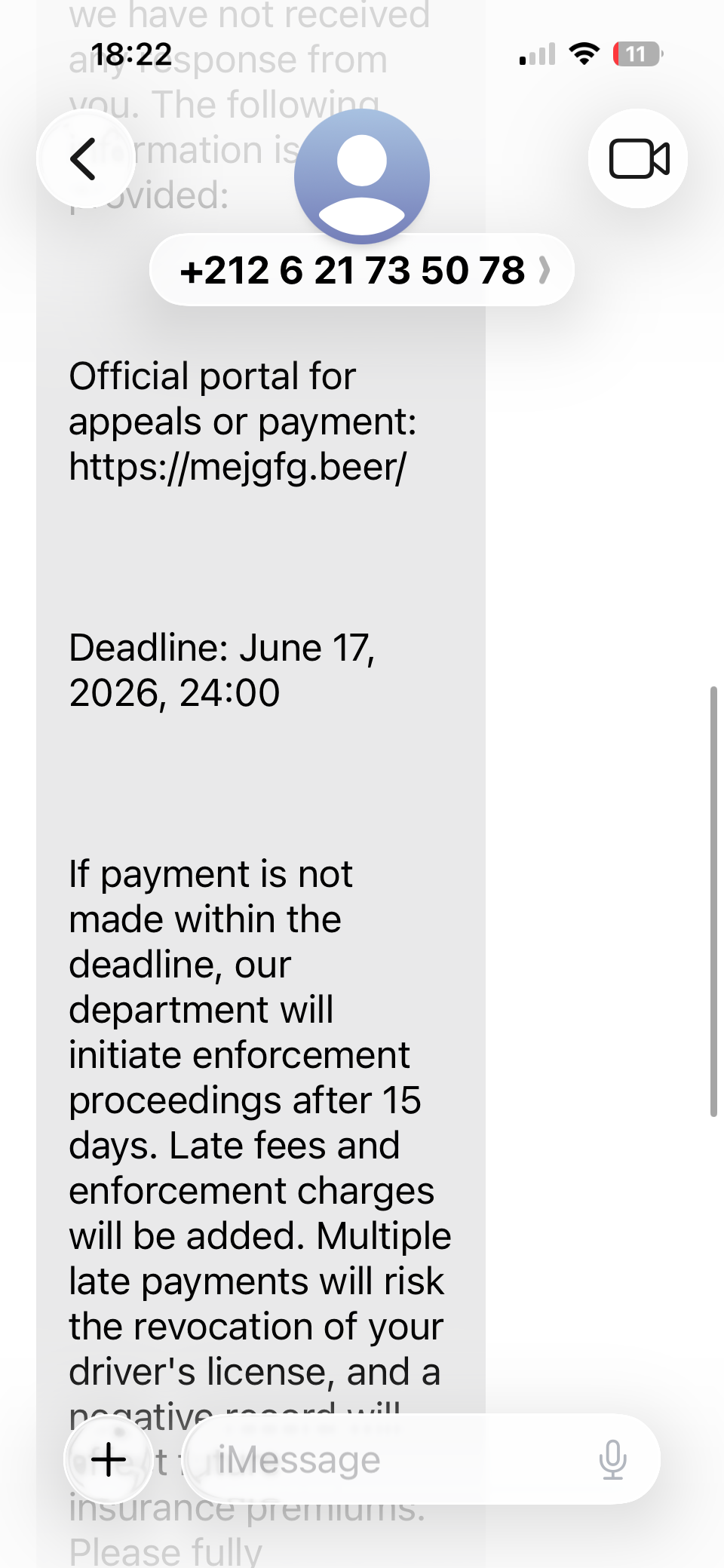
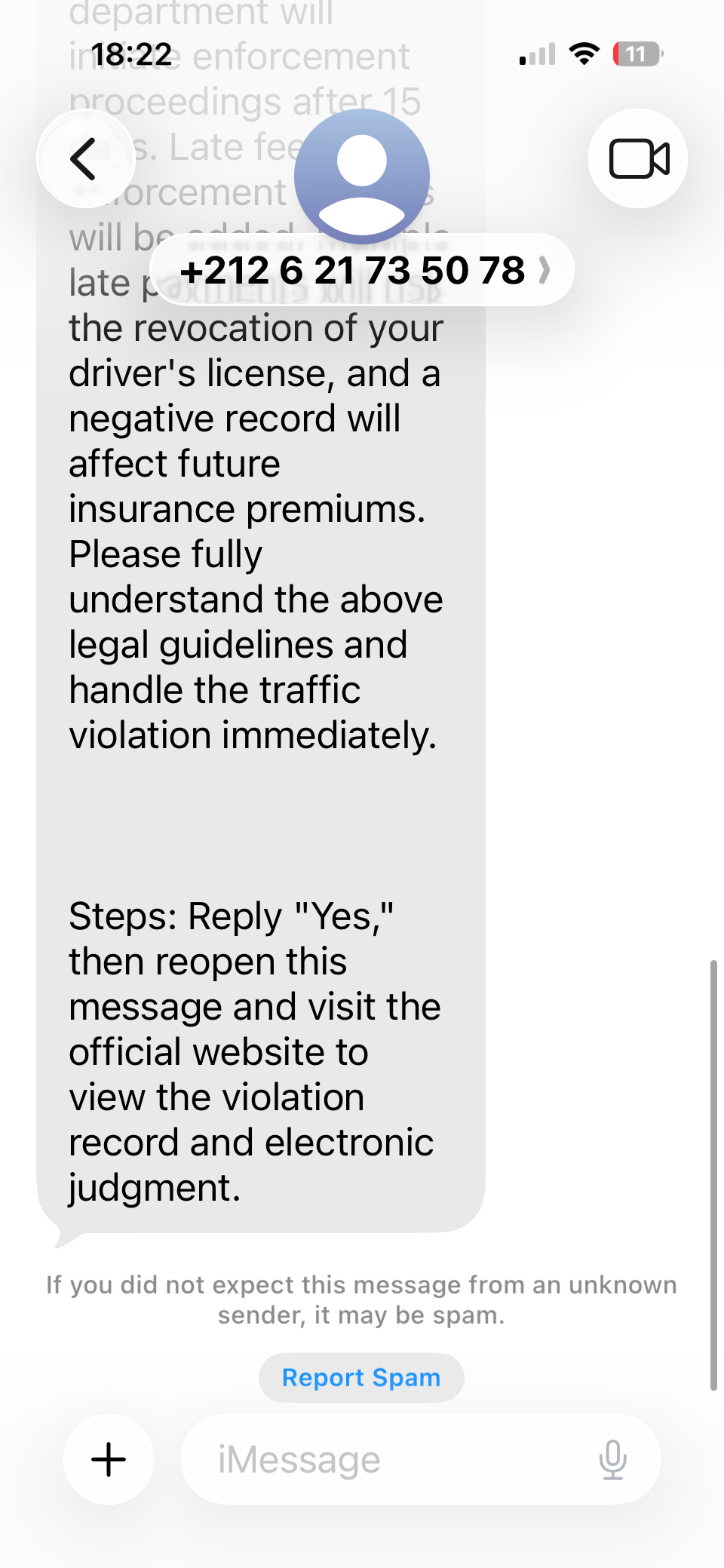
This message above is not from VicRoads. It uses an overseas phone number, creates urgency and directs customers to a fraudulent website.

Driver licence scams
Sometimes criminals may try to sell you a driver licence.
The only way to get a Victorian driver licence is through VicRoads.
Police officers carry online tools for scanning and checking licence details, so they will know if a driver licence is fake and was not issued by VicRoads.
Online sales scams
We do not sell any VicRoads-branded products or services through third-party sellers. This includes:
- unregistered vehicle permits
- overseas licence conversions
- VicRoads-branded vehicle reports
- driving test appointments.
Sometimes scammers will claim they’re selling other products or services on behalf of VicRoads, often at a higher price. These websites might claim that they’re endorsed by VicRoads or use the VicRoads logo.
Unauthorised sellers of unregistered vehicle permits (UVPs)
We’ve become aware of unauthorised third-party websites selling UVPs, often at high prices.
To make sure you’re paying the right amount and to keep your information secure, only purchase UVPs through the VicRoads website. We don’t authorise or sell UVPs through third parties.
When you’re buying a UVP from us, always check that the website address in your browser is www.vicroads.vic.gov.au, especially when you’re making your payment.
Report a scam
You can message us to let us know about new scams that may affect VicRoads customers.
If the scam occurred on social media, you should use that social media’s Report function to report the account.
You can report scams to:
You can find out more about scams at: